
Team & Access
Team management
Invite teammates, set what each can see, and manage their access as your team changes
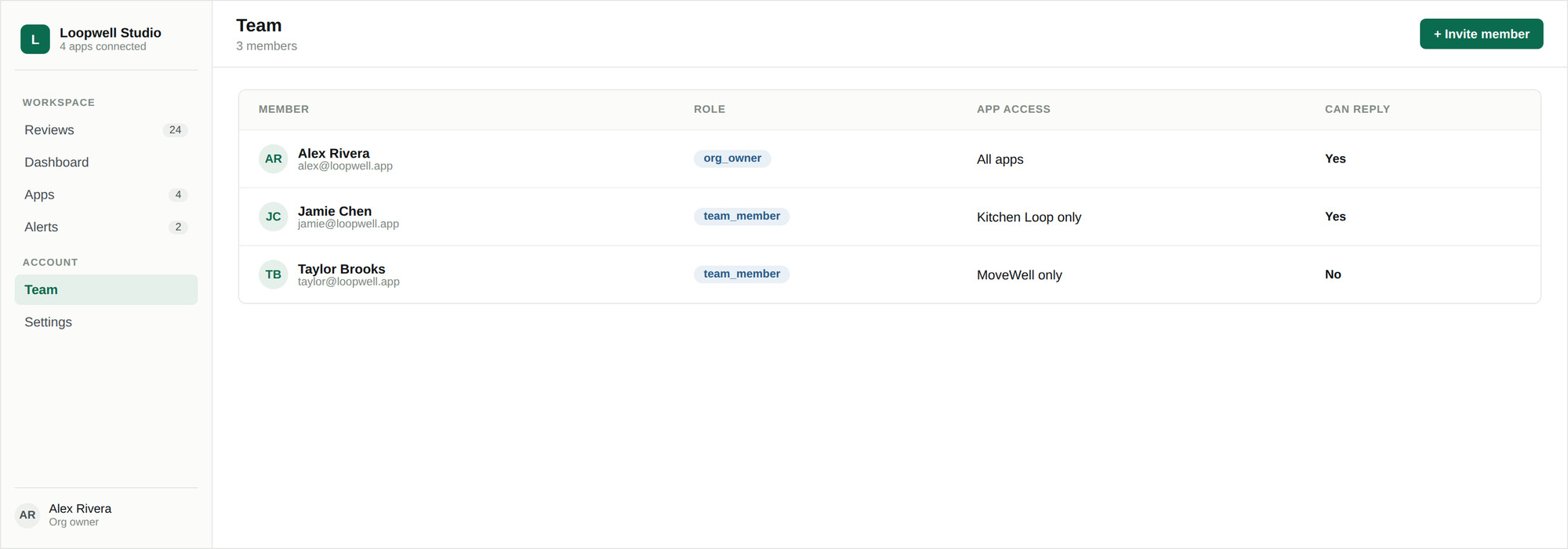
Team management is at Team in the sidebar and is available to the organization owner. Everyone you invite joins your organization and sees only what you assign them.
Inviting someone
- 01Go to Team and click Invite member.
- 02Enter their full name and email address.
- 03Decide whether they can reply, or only read.
- 04Assign the accounts or individual apps they should see.
- 05Send the invitation.
They receive an email with a generated temporary password. Signing in takes them straight to the reviews inbox, filtered to their assigned apps — they do not go through the onboarding wizard.
Managing existing members
| Action | Effect |
|---|---|
| Edit assignments | Change which accounts or apps the person can see. Takes effect immediately. |
| Toggle can-reply | Grant or revoke the ability to send replies, without changing what they can see. |
| Reset password | Issues a new temporary password and emails it to them. Use when someone is locked out. |
| Remove | Revokes access. Replies they already sent are unaffected. |
The organization owner appears in the list badged as the administrator and cannot have their own access restricted.