
Reviews
The reviews inbox
Every review from every connected app and store, in one list you can triage and reply from
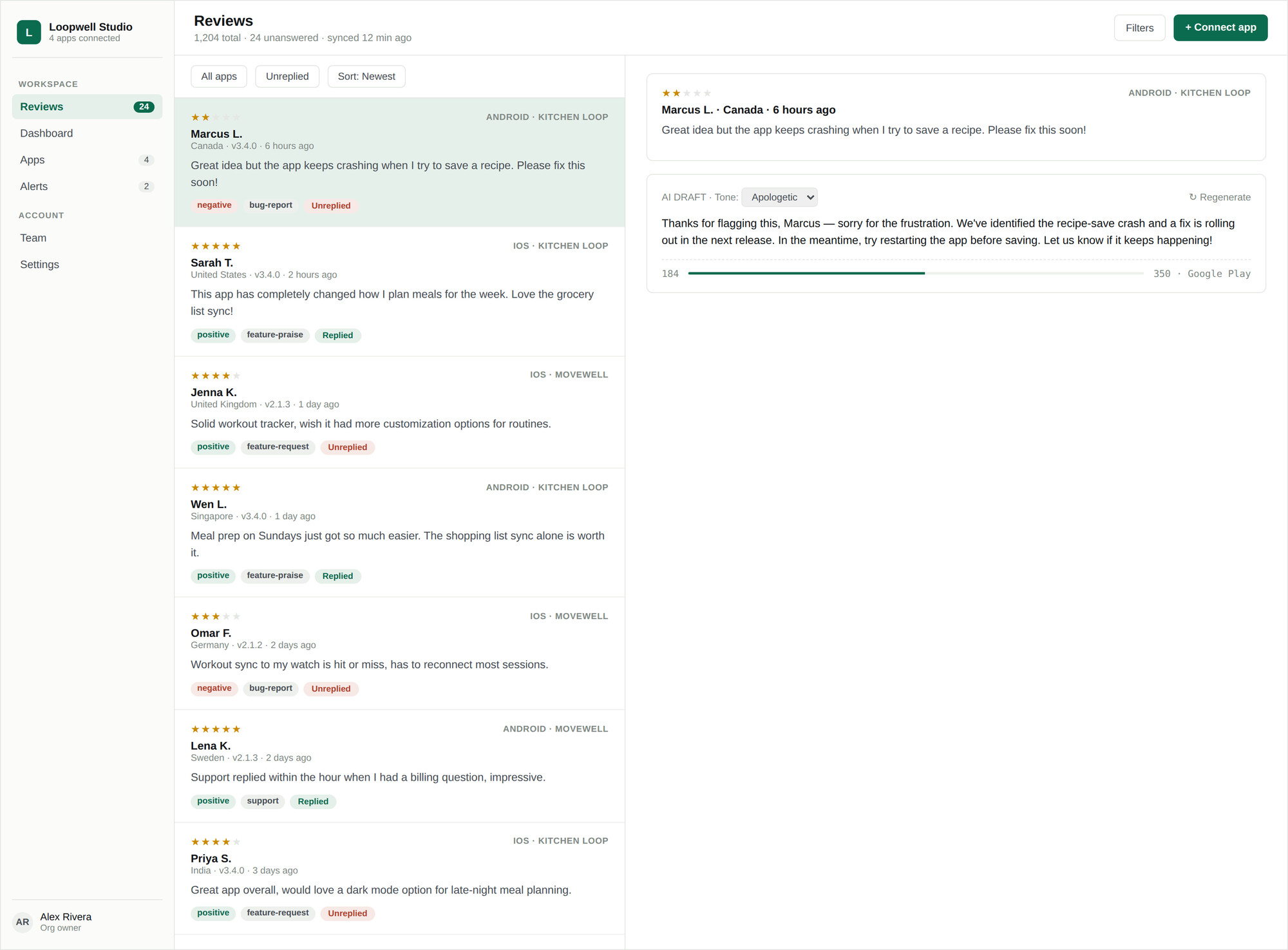
The inbox is the screen your team will live in. It merges reviews from every connected app and both stores into a single list, newest first by default, with a filter rail down the left and a reply drawer that slides in from the right.
Layout
| Area | What it does |
|---|---|
| App switcher | Narrows the whole screen to one app, or shows everything at once. |
| Filter rail | Store, account, status, rating, sentiment, app version, and date. See Filtering and search. |
| Review list | Scrolls continuously, loading more as you reach the bottom. |
| Review drawer | The full review, translation controls, and the reply composer. See Replying to reviews. |
Working through the queue
- 01Filter to Unanswered to see only what still needs a response.
- 02Sort by Most helpful to put the reviews worth answering first, or Most critical to deal with the worst ratings.
- 03Open a review to read it in full, with the reviewer, country, app version, and detected language.
- 04Draft a reply — by hand, or with AI — and send it.
The auto-reply banner
Until your organization has at least one automation rule, a banner sits above the list linking to the rule builder. Dismiss it if you intend to keep replying by hand — it will not come back. See Automation rules.
What ReviewDesk cannot do here
Refunds, billing disputes, and account deletions are handled by Apple and Google directly — no reply posted through ReviewDesk can action one. Drafts are written to point the reviewer at the right place rather than promise an outcome you cannot deliver.