
Reviews
AI drafts, tone and language
Generate a reply with AI, steer it with tone presets or your own instructions, and answer in 16 languages
Click Generate with AI in the reply composer and a draft streams in, written against the review text, its rating, the app it belongs to, and the tone you selected. Nothing is sent — the draft lands in the composer for you to edit.
Tone presets
| Tone | Use it for |
|---|---|
| Professional | The default. Neutral, competent, safe for anything. |
| Apologetic | Genuine failures — crashes, data loss, billing gone wrong. |
| Friendly | Warm and personal, good for engaged mid-rating reviewers. |
| Concise | Short and direct. Useful under the Google Play character cap. |
| Enthusiastic | Five-star praise you want to match in energy. |
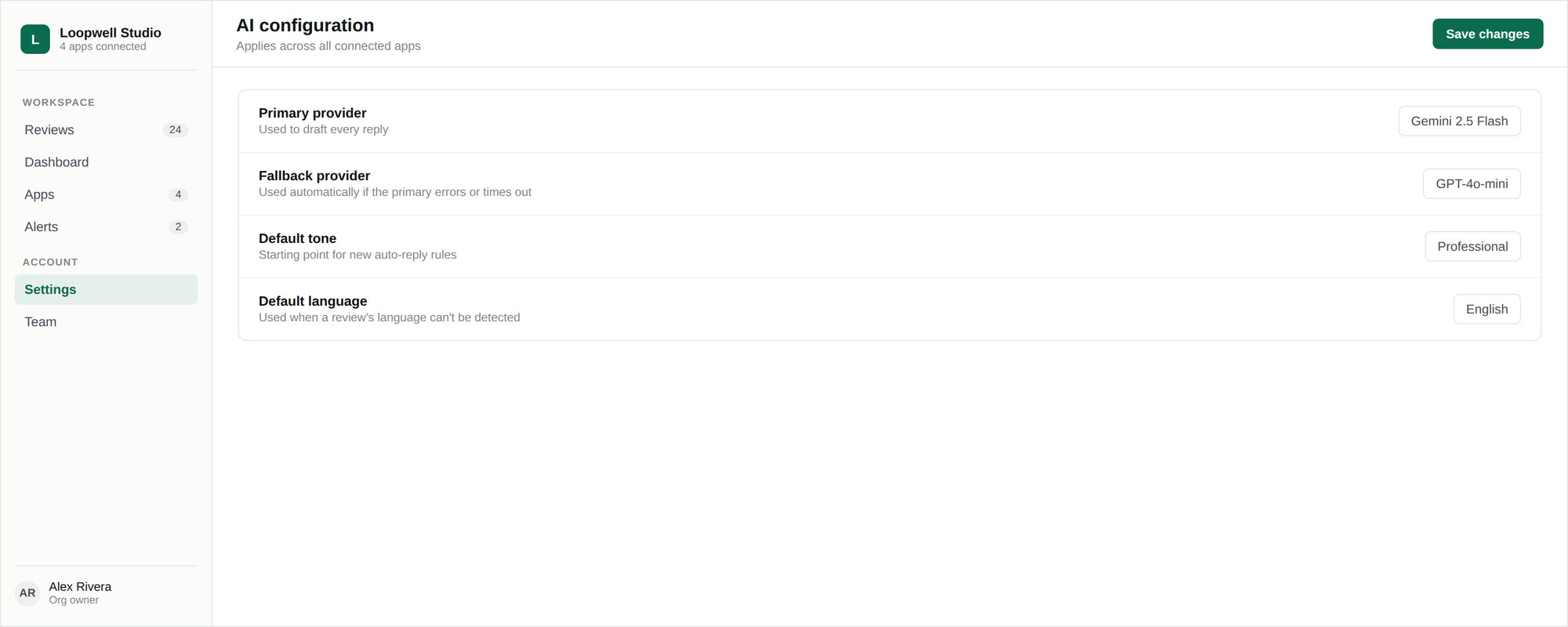
Set the organization default in Settings → AI, where a live sample reply updates as you switch between them. Any individual reply can override it from the composer.
Custom instructions
Choosing Custom… in the tone dropdown replaces the preset with your own instruction, up to 500 characters. This is how you handle the reply that does not fit a preset:
Warmly thank them and mention the dark-mode fix
is shipping next week. Do not apologise — they
were positive. Keep it under two sentences.Reply language
The language dropdown offers Auto (match review) plus 15 explicit languages: English, Spanish, French, German, Italian, Portuguese, Russian, Japanese, Chinese, Korean, Arabic, Hindi, Indonesian, Turkish, and Dutch.
- Choosing a language explicitly forces the reply into it, even if the review is in another
- Auto mirrors the review language when the store tells us what it is
- When the store does not report a language — common on the App Store — the model matches the language of the review body, using the dominant one if the review mixes several
To read a review in your own language before answering, use review translation, which is separate from the reply language.
Models
In Settings → AI you choose a primary model and an optional fallback used automatically if the primary call fails. Models whose provider has no API key configured appear disabled.
Your model choice applies to replies you generate. Background classification — sentiment, themes, language detection, translation — always runs on the operator's configured default, so picking an expensive model for drafting does not change the cost of the ingest pipeline.
Generation limits
Each user can generate up to 200 AI drafts per day, resetting at midnight UTC. The limit is per person, not shared across your organization. Hitting it returns a clear error and does not affect anyone else on your team. See Limits and quotas.