
Alerts
Alert settings and the weekly digest
Tune what counts as a rating drop or a surge, choose where alerts are sent, and schedule the digest
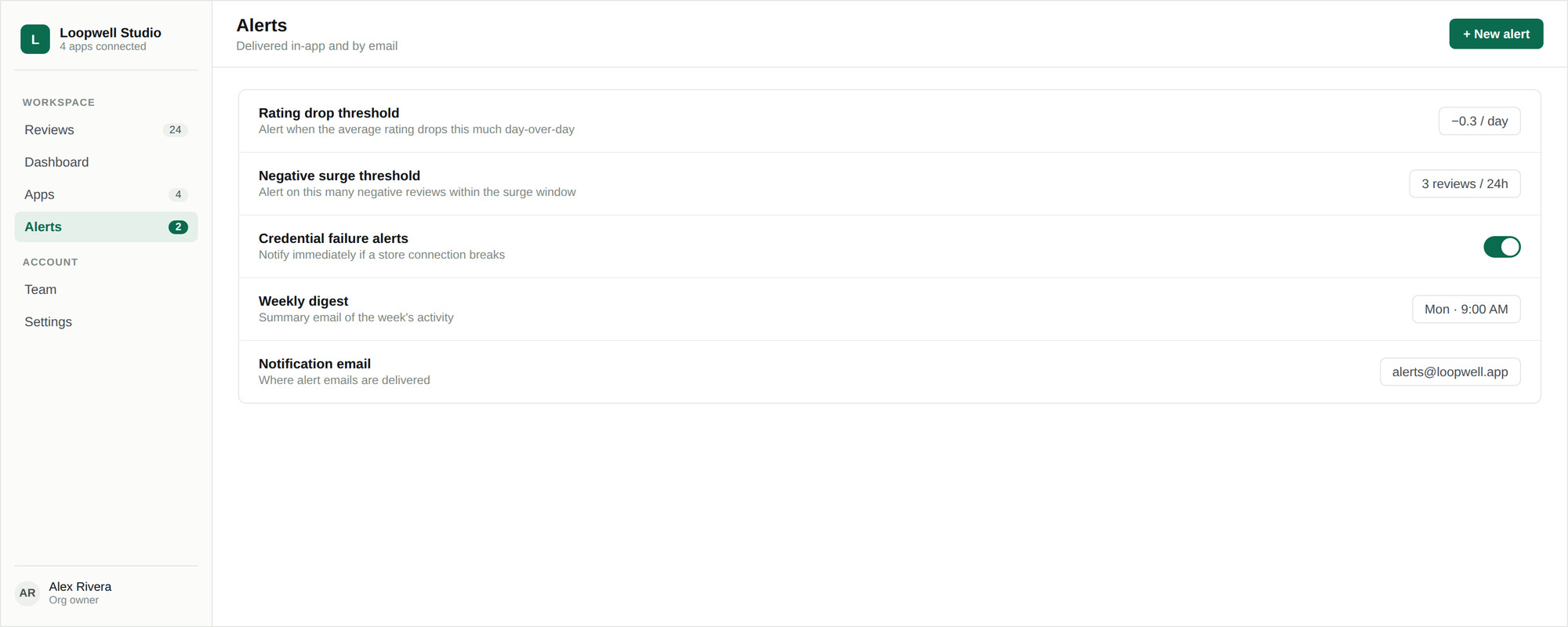
Everything below lives in Settings → Alerts and applies to the whole organization.
Thresholds
| Setting | Range | Default |
|---|---|---|
| Rating drop threshold | 0.05 – 2.0 stars | 0.3 |
| Negative surge threshold | 1 – 50 reviews | 3 |
| Surge window | 1 – 168 hours | 24 hours |
Which alerts are enabled
Four independent switches control rating-drop alerts, negative-surge alerts, credential-failure alerts, and the weekly digest. Turning one off stops the email; the condition is still visible on the dashboard.
Where alerts are sent
By default, alerts go to the account email of the organization owner. Set a notification email to send them somewhere else — a shared support or on-call inbox is usually better than one person’s address.
Weekly digest
Choose the day of the week and the hour, in UTC, that the digest is sent. It is delivered once per calendar week, so changing the schedule mid-week does not produce a second copy.